Branding / Labels / Price Guns
-
26.12 - Lynx-C8 Date or weight Price GunRegular price From £91.84 GBPRegular priceUnit price per
-
 Sold out26.12 - Lynx Eight Digit Price GunRegular price From £91.84 GBPRegular priceUnit price per
 -
Lynx-c-20A Alpha/Numeric - Price GunsRegular price From £190.41 GBPRegular priceUnit price per
-
Lynx-c-17A Alpha/Numeric - Price GunsRegular price From £159.40 GBPRegular priceUnit price per
-
26.12 - Lynx-C-W17 10/7 Prices 2L Price GunRegular price From £147.81 GBPRegular priceUnit price per
-
Lynx-C-10A Alpha/Numeric - Lynx-C-10A Alpha/Numeric Price GunRegular price From £117.53 GBPRegular priceUnit price per
-
 Sold outPuma PJ8 8-Digit Price GunRegular price From £50.86 GBPRegular priceUnit price per
 -
 Sold out2112 - Puma JH6 Red Price GunRegular price From £70.28 GBPRegular priceUnit price per
 -
 Sold out2/9 - Nor Price GunRegular price From £46.83 GBPRegular priceUnit price per
 -
 Sold out2612/9 - Motex Black Price GunRegular price From £51.19 GBPRegular priceUnit price per
 -
 Sold out2612/6 - Lynx C-6 Black Price GunRegular price From £88.00 GBPRegular priceUnit price per
 -
 Sold out26.12 - Aznet Price GunRegular price From £19.48 GBPRegular priceUnit price per


Branding / Labels / Price Guns
Branding / Labels / Price Guns
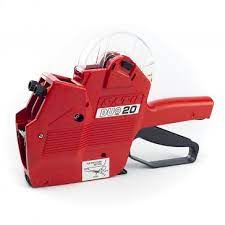
Price guns (also called pricing labelers) are handheld tools used to apply adhesive labels quickly and consistently. They are commonly used for retail pricing, date coding, batch/lot identification, and short product descriptors. This category brings together several styles of label guns—single-line, two-line, numeric, and alpha/numeric—so you can match the tool to the information you need to print and the label format you plan to apply.
Most pricing guns work by inking raised characters on rotating print bands and transferring that ink to a label as the label advances. Because of that, the most important compatibility factors are the print format (how many characters per line), whether the gun prints one or two lines, and the label size the gun is designed to feed (for example, “26.12” commonly refers to a 26 mm x 12 mm label format). Choosing the right gun up front helps reduce misprints, label jams, and wasted rolls.
Branding / Labels / Price Guns — Helpful Guide
1) Two-line 26.12 format price guns (more information on each label)
Two-line guns are used when you need to print two separate fields on the same label—such as price on one line and a date, weight, or code on the second line. They are also useful for promotions or internal coding where a single line is not enough. In many systems, “10/7” indicates the character capacity across the top and bottom lines (for example, 10 characters on the first line and 7 on the second), while “26.12” indicates the label size format the gun is built around.
- 26.12 - Lynx-C-W17 10/7 Prices 2L Price Gun — Two-line labeler designed for a 26 x 12 mm label format, suitable when you need a longer top line and a shorter second line for codes, dates, or secondary pricing details.
- 26.12 - Lynx-C8 Date or weight Price Gun — Two-line style intended for printing a primary value plus a secondary field such as date or weight information, helping standardize labeling for perishable or variable-weight items.
2) Single-line numeric price guns (fast, simple pricing)
Single-line numeric guns are the most straightforward option for applying a price or short numeric code. They are typically chosen for speed, ease of training, and minimal setup. If your labels only need one line of numbers (for example, “12.99” or “001234”), a single-line gun can be the most efficient choice.
- 26.12 - Lynx Eight Digit Price Gun — Numeric gun designed for up to eight digits, useful for standard price formats and short numeric identifiers.
- Puma PJ8 8-Digit Price Gun — Eight-digit numeric labeler for quick, consistent pricing or coding where a single line is sufficient.
- 2112 - Puma JH6 Red Price Gun — Numeric labeler suited to simpler, shorter numeric prints where fewer digits are required.
- 2/9 - Nor Price Gun — Numeric price gun option for single-line labeling workflows.
- 2612/9 - Motex Black Price Gun — Numeric labeler aligned to a 26 x 12 style label format with a nine-character configuration.
- 2612/6 - Lynx C-6 Black Price Gun — Numeric labeler for shorter single-line prints, often used for compact price formats or brief codes.
- 26.12 - Aznet Price Gun — General-purpose numeric price gun for everyday shelf and product labeling.
3) Alpha/numeric price guns (for codes, sizes, and short descriptors)
Alpha/numeric guns add letters to the print bands, allowing you to include short words or abbreviations (for example, “LOT”, “SIZE”, “SALE”, “BEST BY”, or internal department codes). They are commonly used when numeric-only printing is too limiting, or when you want labels to communicate more than just price.
- Lynx-C-10A Alpha/Numeric - Lynx-C-10A Alpha/Numeric Price Gun — Alpha/numeric labeler for mixed-character printing where you need letters and numbers on the label.
- Lynx-c-17A Alpha/Numeric - Price Guns — Alpha/numeric configuration designed for longer mixed-character strings, useful for item codes and short descriptors.
- Lynx-c-20A Alpha/Numeric - Price Guns — Alpha/numeric option with extended character capacity for more detailed coding needs.
Common use cases (where price guns add consistency)
- Retail shelf pricing: Apply consistent price labels quickly across many SKUs, reducing handwriting errors and improving readability.
- Date coding: Mark “packed on”, “best by”, or rotation codes to support FIFO stock practices.
- Variable-weight items: Add weight or unit information alongside a price or internal code.
- Inventory and internal tracking: Use short alpha/numeric strings for batch, lot, department, or location identifiers.
- Markdown and re-pricing: Update pricing efficiently during stock changes, seasonal resets, or clearance cycles.
Case study: reducing relabeling time during weekly price changes
A small specialty retailer needed to update prices weekly across multiple product sections. Handwritten labels were inconsistent and often required rework due to legibility issues and missing decimals. By switching to a consistent single-line numeric labeling process for standard items and a two-line format for items requiring a secondary code, the team reduced relabeling time and improved accuracy. The key operational change was standardizing the print format (digits and decimal placement) and training staff to verify the first few labels after loading a new roll.
Takeaway: the biggest productivity gains typically come from (1) choosing a print format that matches your information needs, and (2) standardizing how your team prints prices/codes so labels look the same across departments.
How to choose the correct price gun
Step 1: Decide whether you need one line or two
If you only need a price (or a short numeric code), a single-line gun is usually sufficient. If you need a second field—such as date, weight, or an internal code—choose a two-line gun so both pieces of information appear on the same label.
Step 2: Confirm character capacity (digits/characters per line)
Character capacity determines how much you can print without abbreviations. For numeric guns, consider whether you need room for currency formatting (including decimals) and whether you print leading zeros. For two-line guns, confirm the capacity of each line (often written as a pair such as 10/7).
Step 3: Match the label format (size and shape)
Pricing guns are designed to feed specific label formats. “26.12” commonly indicates a 26 mm x 12 mm label size format. Also check label shape (for example, rectangular vs. wave-edge) and roll/core style. Using the wrong label format can cause poor feeding, skewed prints, or jams.
Step 4: Choose numeric vs. alpha/numeric
Numeric guns are ideal for straightforward pricing. Alpha/numeric guns are better when you need letters for short descriptors, lot codes, or department identifiers. If you anticipate future needs (like adding “LOT” or “BEST BY”), alpha/numeric can reduce the need to replace equipment later.
Step 5: Plan for consumables and maintenance
Most labelers rely on ink rollers and consistent loading technique. Keep spare rollers on hand if your labeling volume is high, and replace rollers when prints become faint or uneven. Store label rolls in a clean, dry area to reduce adhesive contamination and feeding issues.
Loading and printing tips (to reduce jams and misprints)
- Thread the label path carefully: Ensure the backing paper follows the correct route and sits flat under guides.
- Print a short test run: After loading, print several labels and check alignment, clarity, and spacing before labeling products.
- Keep the platen and guides clean: Adhesive buildup can cause skewing and inconsistent feed; wipe contact points periodically.
- Use consistent trigger pressure: A full, smooth squeeze helps advance labels evenly and improves print consistency.
- Standardize formatting: Decide how you will represent decimals, currency symbols (if used), and leading zeros so labels remain consistent.
Troubleshooting quick reference
- Faint print: Replace the ink roller; confirm the roller is seated correctly; check for dried ink or contamination.
- Labels not advancing: Verify label size/shape compatibility; re-thread the backing; check for adhesive buildup on feed rollers.
- Skewed labels: Ensure the roll is centered; confirm guides are set correctly; check that the backing is not torn or wrinkled.
- Smudging: Allow ink to set; avoid touching freshly printed labels; confirm you are using the correct roller type for the gun.
- Missing characters: Inspect print bands for debris; rotate bands fully into position; replace roller if ink coverage is uneven.
Operational considerations for labeling programs
For multi-user environments, consistency matters as much as equipment choice. Document a simple labeling standard (what goes on each line, how dates are formatted, and how decimals are handled). Keep a small kit near the labeling station with spare rolls, spare ink rollers, and a cleaning wipe. These small process steps often prevent downtime and reduce label waste.
Questions & Answers
What does “26.12” mean on a price gun?
“26.12” commonly refers to the label format the gun is designed to use, typically around 26 mm wide by 12 mm tall. Matching the label size and shape to the gun is important for smooth feeding, correct alignment, and avoiding jams or skewed prints.
How do I decide between a single-line and a two-line price gun?
Choose a single-line gun if you only need one field such as a price or short numeric code. Choose a two-line gun when you need a second field—like a date, weight, or internal code—printed on the same label for clarity and traceability.
What does a “10/7” configuration indicate on a two-line labeler?
A “10/7” configuration typically describes character capacity across the two print lines, such as 10 characters on the top line and 7 on the bottom line. This helps you confirm whether your intended price and secondary code will fit without abbreviations.
Why are my labels printing faint or uneven?
Faint or uneven printing is usually caused by an ink roller that is worn, drying out, or not seated correctly. It can also happen if the print bands are dirty. Replacing the roller and cleaning contact surfaces typically restores consistent, readable prints.
How can I prevent label jams and misfeeds?
Use the correct label size and shape for your gun, thread the backing paper along the intended path, and keep guides and rollers clean from adhesive buildup. After loading a new roll, print several test labels to confirm alignment before labeling products.