

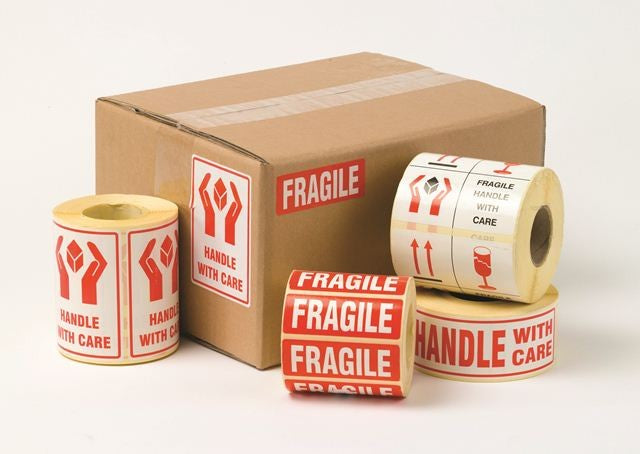
Printed Parcel Labels
89x32mm “SOLD” Labels (VL89) — Overview
These “SOLD” self-adhesive labels (often referenced as VL89) are designed to help you clearly identify items that have been sold, allocated, or are no longer available for dispatch. With a bold, easy-to-spot message, they provide a fast, consistent way to mark cartons, parcels, paperwork, shelving locations, or product packaging so teams can reduce picking errors and prevent accidental re-shipping.
Because this is a configurable product listing, the exact pack format and pricing may vary by option. Please select the variant that matches your preferred quantity and format.
Key Features
Instant visual status marking:
A clear “SOLD” message helps staff recognise item status at a glance, supporting smoother workflows in busy packing benches, goods-out areas, and stock rooms.
Time-saving application:
Peel-and-apply labels are a quick alternative to handwriting notes or using marker pens on cartons, which can be inconsistent or hard to read.
Helps reduce dispatch and picking mistakes:
Using a consistent status label can help prevent sold items being picked again, re-entered into stock, or shipped in error.
Works across multiple environments:
Commonly used in retail back-of-house, eCommerce fulfilment, warehouses, trade counters, and offices—anywhere items need a clear “do not ship / already allocated” indicator.
Compact label footprint:
The label size is suited to cartons, poly mailers, document wallets, and paperwork without taking up excessive space.
- Clear “SOLD” message for fast identification
- Self-adhesive peel-and-apply convenience
- Supports process control in picking/packing and stock handling
- Suitable for cartons, parcels, and paperwork
- Multiple pack options may be available via variants
Typical Uses
- Marking customer orders that are paid and allocated
- Identifying items reserved for click & collect or trade counter collection
- Preventing sold stock being re-picked or re-shelved
- Highlighting cartons that should not be dispatched again
- Labelling paperwork, picking lists, or document wallets for order control
VL89 “SOLD” Labels — Full Product Guide
Clear status labelling is a simple improvement that can make a measurable difference to accuracy and speed. “SOLD” labels are widely used as a visual control in fulfilment and retail operations: once an item is allocated to an order, the label provides an immediate cue to everyone handling it—pickers, packers, supervisors, and goods-out teams—that the item has already been assigned.
This guide explains how “SOLD” labels are typically used, what to consider when applying them, and how to get the best results in day-to-day operations.
How It Works
“SOLD” labels are applied directly to the outer surface of a parcel, carton, product packaging, or associated paperwork. The goal is to create a consistent, unmistakable status signal. In many workflows, the label is applied at one of these points:
- At picking: once the correct item is picked and verified, it is labelled to show it is allocated.
- At packing: once the order is checked and packed, the label is applied to the carton or mailer to prevent re-processing.
- At staging: when orders are staged for collection or dispatch, labels help separate sold/allocated goods from general stock.
Used consistently, this simple step can reduce confusion during shift changes, busy periods, or when multiple teams share the same storage and packing areas.
Materials and Construction
These are printed, self-adhesive labels intended for quick manual application. The adhesive backing is designed to stick to common packaging surfaces used in shipping and storage. As with all labels, performance depends on the surface condition and environment—clean, dry, and dust-free surfaces generally provide the best adhesion.
If you are applying labels to challenging surfaces (for example, dusty cartons, textured materials, or cold packaging), consider testing a small quantity first and adjusting your application process (surface wipe-down, firmer pressure, or allowing time for the adhesive to bond).
Surface Compatibility (Packaging & Common Substrates)
“SOLD” labels are commonly applied to:
- Cardboard cartons and boxes
- Poly mailers and mailing bags
- Stretch wrap and pallet wrap (best applied to a smooth, tensioned area)
- Document wallets and packing list envelopes
- Paperwork such as pick slips and internal transfer sheets
For best results, apply to a flat area and press firmly across the whole label to ensure full contact, especially at the edges.
Health and Safety
Labels are straightforward to use, but good handling practices help keep work areas safe and efficient:
- Store rolls/packs neatly to avoid trip hazards and clutter at packing benches.
- Dispose of backing paper responsibly to prevent slips.
- If using in high-throughput areas, consider a dedicated label dispenser to reduce repetitive handling and speed up application.
Ideal Applications and Use Cases
eCommerce fulfilment:
Use “SOLD” labels to mark picked items or packed cartons so they are not returned to stock or mistakenly shipped twice.
Retail stock rooms:
Ideal for reserving items for customers, click & collect orders, or special orders awaiting collection.
Trade counters and wholesale:
Helps teams separate allocated goods from general inventory, especially when multiple orders are staged together.
Returns and quarantine areas:
While “SOLD” labels are primarily for allocation, some operations also use them as part of a broader visual management system—e.g., combining with other status labels to keep areas organised.
Maintenance, Cleaning and Care
Labels require no maintenance, but storage conditions matter:
- Keep labels in a clean, dry place away from direct sunlight and excessive heat.
- Avoid storing near sources of moisture or dust that could affect the adhesive or print quality.
- Rotate stock so older labels are used first, especially in busy environments.
Process Case Study (Example Workflow)
Scenario: A small warehouse processes a high volume of orders daily. During peak periods, packed cartons are staged in lanes for different couriers. Occasionally, cartons are moved between lanes and a small number are re-processed by mistake.
Change introduced: The team applies a “SOLD” label immediately after the final pack check. Any carton without the label is treated as “not yet verified.”
Result: The packing bench gains a simple visual control. Staff can instantly identify which cartons are complete, reducing rework and helping prevent duplicate dispatch.
Note: This is an illustrative example of how status labels are commonly used; your workflow may differ.
Who Is It For?
- Warehouse and fulfilment teams who need quick, consistent order status marking
- Retail operations managing reserved stock and customer collections
- Businesses looking to reduce picking/packing errors with simple visual controls
- Offices and stores that want a clearer way to manage allocated items and paperwork
Colours / Features Available
This product is a printed “SOLD” label. If multiple print styles, colours, or pack formats are available, they will appear as selectable variants on this page.
Sizes Available
This listing is for VL89 “SOLD” labels in the size shown in the product title. If alternative sizes or quantities are offered, please choose from the available options on this product page.
Need help choosing?
If you’re matching an existing label in your operation, check the label size and any reference code (such as VL89) and select the closest option available. For high-volume environments, choosing a larger pack size can help reduce changeovers at the packing bench.